
 Website visitor wants to talk to Sales
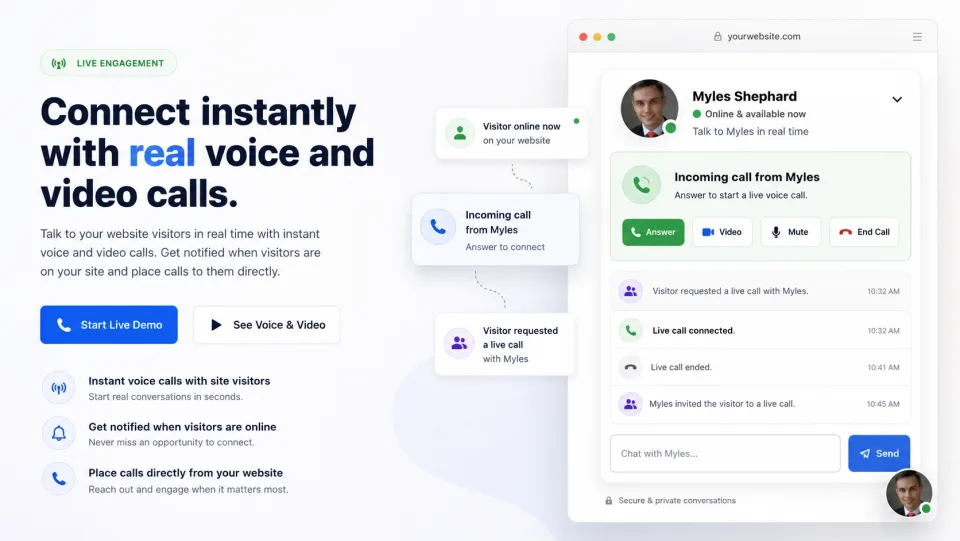
Chat, voice, or video starts from the widget.
Website visitor wants to talk to Sales
Chat, voice, or video starts from the widget.
SIP peering for website calls
The simple agent plugin you can drop on your site and route directly to your operators.
Laleo adds chat, browser voice/video, and SIP routing to your website so a visitor can click from a page into a real conversation answered by your dashboard team or your existing phone system.
Website visitor wants to talk to Sales
Chat, voice, or video starts from the widget.
Laleo.chat
 Customer PBX / Voice Core
Trusted SIP peer, extension, queue, or call center route.
Customer PBX / Voice Core
Trusted SIP peer, extension, queue, or call center route.
From click to PBX queue
A visitor can ask to speak from your website. Laleo holds the browser side, routes the call to your SIP destination, and bridges only when the answer path is ready.
Trusted SIP peers
Paid plans can configure SIP peers and allowed IPs so your existing PBX or carrier controls where the call lands.
Direct SIP or dashboard
Use dashboard WebRTC for small teams, Direct SIP dial for simple routes, or SIP peering when the website should feed your voice core.
No minutes for SIP trunk calls
PSTN minutes only matter when Laleo forwards to a real phone number. Calls sent over your SIP trunk or Direct SIP route avoid Laleo PSTN minute usage.
Why it matters
Visitors are already on the page. Your phone system should be able to meet them there.
Traditional website chat stops at text or pushes a visitor into a separate phone call. Laleo keeps the website session alive, carries page context into the dashboard, and can route voice into the same PBX workflows your operators already use.
Connect your website to your voice core
Sign up with email OTP, create a widget, and start testing chat, browser calls, SIP routing, and visitor analytics from the Laleo dashboard.